Together release history
What’s changed
2.10.3 · 4 November 2026
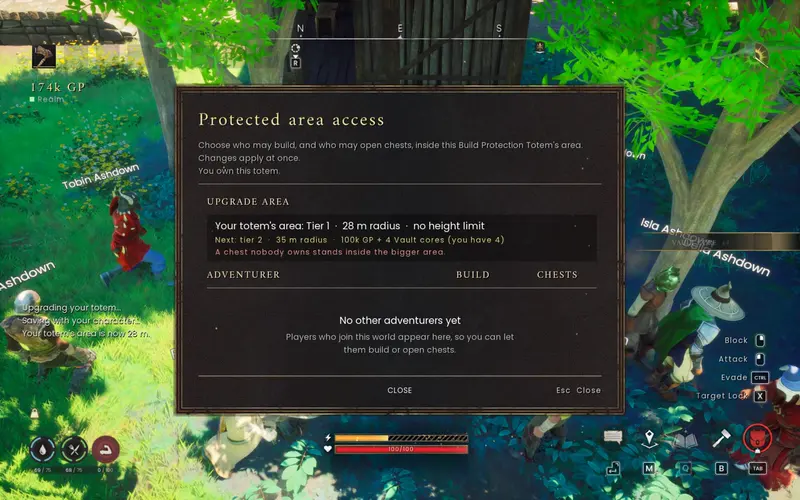
More GP from monsters: every kill that drops GP now pays four times as much — normal monsters, bosses and tower dragons, jackpots included. How often normal monsters drop GP, the boss cooldown and the kill-rate cap are unchanged, and GP still comes only from the realm’s own kill payout. Totem upgrade prices are unchanged, so the tiers are now about four times quicker to reach.
The minimum client version stays 2.9.0. The new GP rate is set by the realm, so it applies on the official Worlds whichever Together version you play with. Close Dragonwilds before you update.
2.10.2 · 3 November 2026
Fixes on the Worlds: deleting a Square Tile or another floor piece you’re allowed to remove no longer fails with “The World couldn’t verify that building piece.” Adventurers meet monsters again: 2.10.1 had taken them out of the game’s player list so they wouldn’t block sleeping, which also stopped monsters spawning around them. They now leave it only while everyone is in bed, so your bed still passes the night. Adventurers also leave the sealed spawn church by the home teleport to Lumbridge.
In the client, the “Bank Chest” hover label no longer flips back to “Personal Chest” when the game refreshes its HUD. The minimum client version stays 2.9.0. The World-side fixes go live when the official Worlds are updated. Close Dragonwilds and update through the RSence Installer when convenient.
2.10.1 · 3 November 2026
Adventurers on the move: after a World restart the Adventurers no longer stand in the spawn church. They walk out like a player (up the nave’s east ramp and out to the meadow) and on to their camps. A knocked-out Adventurer now gets up beside the starting lodestone with everything it carried and walks back to work, and a full bag goes to the realm’s own Personal Chests (such as Lumbridge’s) instead of their camp. Adventurers no longer count as players who must sleep, so they don’t stop your bed from passing the night.
These are server-side changes on the official Worlds; your own character and the minimum client version 2.9.0 are unchanged. Update through the RSence Installer when convenient.
2.10.0 · 2 November 2026
Your Land: F8/F10 opens permanent owned totems grouped by zone, with direct expansion and an overhead view. Where a World enables fixed plots, your totem area controls building, chest and workshop access, and placed structures inside it belong to you (including deleting them). Personal chests used as bank access points read “Bank Chest”.
Also: optional chat translation (Settings > Notices & More), Together activating automatically on the official Worlds, Adventurer improvements and safer gear syncing that refuses a join rather than removing gear on an out-of-date World. The minimum client version stays 2.9.0. Close Dragonwilds and update through the RSence Installer. Simultaneous two-player acceptance of Your Land is still pending.
2.9.10 · 31 October 2026
Installer maintenance: updated optional tools and compatibility. Normal Together play, the official Worlds and minimum client version 2.9.0 are unchanged. Includes the compact restart notices from 2.9.9.
Close Dragonwilds before updating through the RSence Installer. Settings, data, other mods and Together ON/OFF state are preserved. Chat translation remains a separate upcoming release.
2.9.9 · 31 October 2026
World restart announcements now sit at the bottom centre in a small charcoal-and-gold footer, with an ember accent during the last minute. Menus hide it, mouse input stays with the game, and survival bars temporarily make room. Long reasons shorten in the footer; the original notice keeps the full reason.
This is a client-only update. Current Worlds, the hub and minimum client version 2.9.0 are unchanged. Update through the RSence Installer.
2.9.8 · 30 October 2026
The game’s own HUD now makes room for the new chat instead of sitting under it. While the unified chat is on, the survival rings (water, food and stamina) and your food, drink and potion buffs sit lower, the health and stamina bars sit a little lower, and status effects with their timers move beside the health bar instead of under the chat tabs. Tutorial cards and spell timers stay clear of the chat lines too — also with more chat lines, a bigger chat, or the game’s HUD Scale at 1.25. Switch Unified chat off and everything goes back exactly where the game puts it.
Adventurers are marked ADV again: on today’s Worlds their lines showed as plain “[Local] Adventurer …” lines, and the ADV marks no longer linger on screen after the chat fades. This is a client-only update for the official Worlds; the minimum client version stays 2.9.0.
2.9.7 · 29 October 2026 — one chat at the bottom of the screen
One chat at the bottom of the screen. The game’s own chat and Together’s chat are now a single panel with tabs — ALL, WORLD, LOCAL, PARTY, TRADE and SYSTEM — in a soft dark fade. Press ENTER to chat; the tab you are on decides where the line goes (World, local or party), and a counter shows the 256-character limit. Tabs show unread counts and can be set to On, Filtered or Off, Adventurer lines are marked, and clicking a name lets you mute it.
Scroll back with the mouse wheel or PgUp / PgDn; new lines keep arriving below with a “new” marker, and End or sending a line jumps back to the newest. Prefer the old layout? Settings > NOTICES & MORE > Unified chat switches back to the game’s chat box and the left-hand feed. This is a client-only update for the official Worlds; the minimum client version stays 2.9.0.
2.9.6 · 29 October 2026 — the Land Planner shows the World’s answer
The Land Planner now shows the World’s actual answer. When the World refused a land survey — for example “Stand near your physical totem to plan its land” — the planner showed the reason for a moment and then replaced it with “The World has not answered. Close and reopen to try again.” 15 seconds after opening, so the real reason was lost. The answer now stays on screen; “has not answered” only appears when nothing at all came back within 30 seconds, and a late answer still replaces it.
The Worlds answer every survey request (reopening within two seconds now tells you to wait a moment instead of going unanswered) and keep a log line for each answer, so problems can be traced. The on-screen fix needs this client; the minimum client version stays 2.9.0.
2.9.5 · 28 October 2026 — Adventurers on the map and a pack-up confirmation
The full-screen map (M) has an ADVENTURERS button: switched on, every Adventurer on your World shows as a gold dot with their name, updated every few seconds while the map is open. PACK UP now asks first and says how many chests still hold items and where those go, so you can empty them before your build moves.
Adventurers are much quieter — they answer whenever you talk to them, the first one to notice you says hi, and now and then one remarks on something. Ask “anyone around?” and the nearest one within 150 m answers. They no longer get stuck in town, die over and over at a bad camp or walk off cliffs, they learn which monsters are too much for them, they do what they set out to do, and their drops always stay with them.
The map button and the pack-up confirmation need this client; everything else already runs on the official Worlds. The minimum client version stays 2.9.0.
2.9.4 · 28 October 2026 — Adventurers, and auction listings that stay up
Adventurers have arrived: AI adventurers who live on the Together Worlds, always named “Adventurer <Name>”. They train, gather, fish, explore and fight like players, keep their progress, and talk in local chat — only players within 150 m hear them. Use their name and they answer; ask and they tell you honestly that they are AI. “follow me”, “wait here”, “come here”, “wave” and “dance” work at once.
/mute Sarah or /mute adventurers (and /unmute) stops them talking to you; /report Sarah - what happened saves her recent lines for staff. They never trade, bank, use the auction house, give or drop items, or pick up your drops, and they leave a resource node when a player walks up to it. World 1 and World 2 each have 16.
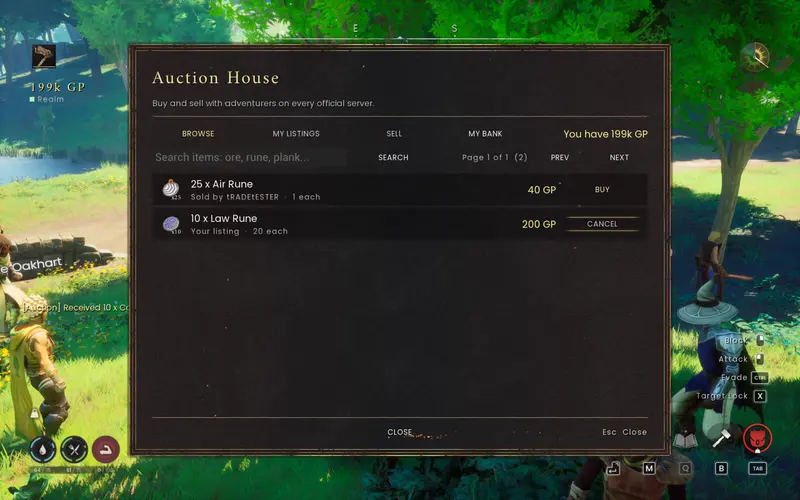
Auction house listings no longer expire: a listing stays up until someone buys it or you cancel it (it used to come back after 48 hours). Not in this release: Adventurer quests. The minimum client version stays 2.9.0.
2.9.3 · 27 October 2026 — Land Planner conflicts and player notes
When the Land Planner refuses a direction it now says what is in the way and where — for example “Bob’s protected land · 74 m north-west of your totem” — and marks it on the plan and in the bird’s-eye view. The direction buttons show which directions are worth checking and which are blocked.
The realm’s base map no longer blocks land upgrades with its large cell circles: the rule is per piece, as for placing a totem (no base-map piece inside your land, 3 m margin), and the plan shows where the base map really stands. The plan fills the window, zooms with − / + / FIT and the mouse wheel, and names neighbouring claims by owner.
Staff can leave you a note that appears the next time you log in to a Together World. Fixed: placing a stored build on a totem just placed in a region without a preset could leave a World unable to accept land changes. The minimum client version stays 2.9.0.
2.9.2 · 27 October 2026 — large bases, window fit and 4K size
The Land Planner works on large bases. CHOOSE DIRECTION and the bird’s-eye view were blocked with “complete land survey required” whenever a base had more buildings than the 2D plan can draw. The plan now shows the buildings nearest your land (up to 256) and says how many more aren’t drawn; the World still checks every building before an upgrade. This part is World-side and also works for 2.9.1 clients.
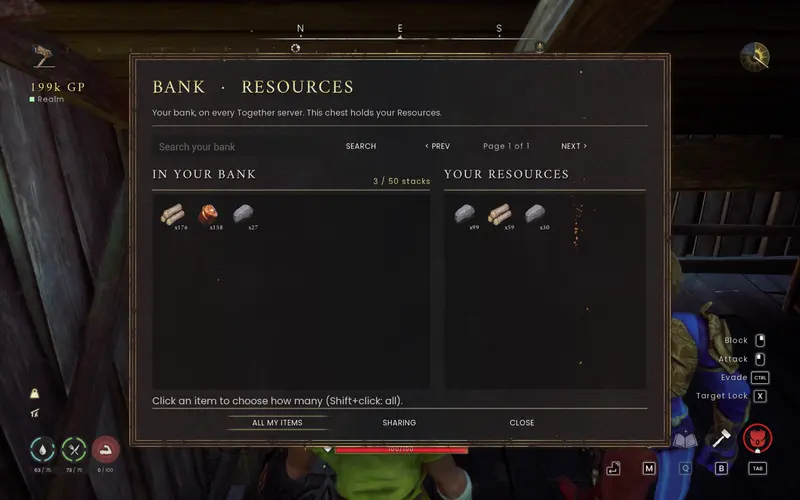
Together windows fit their content to the window size you chose, so the bank and other windows no longer keep a scroll bar they don’t need after resizing. Above 1600p (4K) the Together UI keeps the size it has at 1600p — about 74% of its old size at 4K; set Settings > Together UI size to about 115% for the old size.
Not yet confirmed in-game: the window fit (if the game reports no overflow, the old layout stays), the repaint that should clear stray bag tiles after a resize (a search box being typed in may lose focus when a window re-fits), and the 4K size on a real 4K screen. The minimum client version stays 2.9.0.
2.9.1 · 27 October 2026 — Land Planner fix
The Land Planner works on the official Worlds again. Its survey stopped with “Too many active building actors to check safely” and an empty overhead plan, because each check read every building of the World at once. The survey now reads map geometry only, and upgrade checks learn each building type once and spread that work over several moments, so large Worlds no longer stall it.
The safety rule is unchanged: a building the World can’t identify yet, such as a torch nobody has been near, still blocks that upgrade rather than being guessed. 2.9.0 clients keep working; updating brings the new notes and update check.
2.9.0 · 26 October 2026 — changelogs and hiscores
Release notes now open centrally once per Together revision, after safe gameplay begins on a Together World. Dismiss them once across characters, or return through Codex > Changelogs. Menus, travel and transactions defer the popup. Independent BetterSpellWheel updates do not trigger it.
Adventurer hiscores show authenticated native skills, quests and new dungeon records. The backend and website were deployed ahead of this matching client support. Records begin with new activity; historical progress is not backfilled.
2.8.0 · 26 October 2026 — home and land
Recall to an owned totem on your current World using a Vault Core. Plan larger claims in a chosen direction without moving existing buildings, inspect terrain from above and recover pending upgrades after reconnecting. The World chooser leaves native character controls clear.
2.7.1 · 25 October 2026 — Auction House
Auction House sales use eligible personal-bank stock. Deposit items at a Personal Chest before listing; inventory and shared-bank listings are refused.
2.7.0 · 22 October 2026 — bank tabs and paging
Fourteen named bank tabs plus ALL, 96-row pages on updated Worlds, responsive bank and preset windows, all ten auction listings per page and craft-from-bank selection fixes.
2.6.0 · 18 October 2026 — the Together dock
One dock on F1, movable and resizable windows, persistent interface sizing, smaller party HUD, portable-home placement improvements and stronger farm-plot protection. Performance varies; no guaranteed frame rate.
2.5.2 - portable homes you can always place, move and rebuild (2026-10-17)
**Stranded totems are fixed:** every owner (not only World hosts) can take their own Build Protection Totem back:
PICK UP TOTEM in the templates window (F10) or `/base pickup` where you stand. If anything of your build is still in
its area, it is named and you get PACK UP (takes it along) or DISMANTLE NORMALLY. A refused BUILD HERE no longer hides
your totem from F10. Picking up is confirmed only once the game really removed it.
- **Refusals say what's in the way:** "there are buildings in the way: a crate and a crafting table, 6 m from the totem".
- **See your whole house before you place it:** the totem preview shows the template as a see-through ghost that
turns with the totem (mouse wheel) and turns red with the reason when it doesn't fit. PLACE WITH TOTEM (F10) picks
which template your next totem builds; the World checks it first.
- **Builds wait for people to step out:** a build starts only once nobody stands where its pieces go ("Waiting for ...
to step out of the build's area"); the ghost stays on the placed totem meanwhile, and PICK UP TOTEM cancels. A build
under way pauses rather than building onto anyone. Rejoining tells you again that it waits.
- **Hills and slopes:** a house no longer needs flat ground everywhere: levels of it sit on their own ground, foundations
that would be buried stay packed with the template, and farm plots or loose props on ground too uneven for them stay
packed (named before you build, with anything in them) instead of refusing the whole house. Large builds take the
World longer to check (a moment for a house; a few seconds for thousands of pieces).
- Worlds check about 10% less often for native protection (a small server saving).
2.5.1 - building works after totem areas reload (2026-10-17)
Fix "Only the Host can build here" incorrectly blocking owners and trusted builders after a totem loads back into view. Restarting the game could recreate the same stale native protection.
- Reconcile deactivated native totem protection on Together clients and Worlds. Ownership, trusted access, refunds and server enforcement remain in place. Update your client to receive the fix.
2.5.0 - builds pack and rebuild in one burst, a faster bank, a smoother client (2026-10-16)
**Building templates in one burst:** PACK UP and BUILD HERE / MOVE IT HERE now finish in about a second for a house
(19 pieces: packed in ~0.6 s, rebuilt in ~0.9-1.1 s; were ~1.2 s and ~9 s) and in a few seconds for big builds (63
pieces: ~0.9 s / ~2.4 s), counted from the request reaching the World. Worlds work on a build every frame while it runs, and a rebuilt piece counts once it has stood
0.35 s after the last piece went up instead of 2.5 s per layer. That shorter wait applies only on Worlds saved with
building stability off (both official Worlds); elsewhere the old pace stays. Every safety rule is unchanged: pieces go
in order, nothing counts before a World save, a piece the game won't take down is retried (never skipped), chests keep
their exact contents.
- BUILD IT asks the hub and checks the ground at the same time (nothing is built before the check passes).
- A pack's refunds are swept as one pool: a fast pack can no longer leave building materials lying on the ground.
- A World save the game fails is asked for again within seconds (a pack or a move could wait minutes for the next save).
- **Faster bank:** Ctrl-click transfers show as pending at once and are confirmed by the World in ~0.3 s (0.2-0.6 s measured; was
~1-3 s; a busy chat could add seconds). Bank and building requests skip the chat box's 4-per-10-s limit on Worlds that
verify senders (the World limits them itself). A bank window left open stays usable past 2 minutes.
- Bank window: compact categories with a drawn selector, framed fields, no text overflow in the settings.
- **Smoother game client:** the mod's share of your frame time is down from ~23% to ~4% (222-241 -> 32-43 ms a
second in a World vs 2.3.1, docs/PERF-20261015.md). Opening the mod's window for the first time no longer freezes the
game (336 -> 17 ms; first bank open 204 -> 52 ms): each screen is built the first time you open it. Players and
creatures from other Worlds further than 15 m are moved up to 60 times a second instead of every frame (no change at
60 fps or less). The totem placement preview no longer scans every building in normal play.
- **Live building feed for the realm map:** Worlds write each building change (a piece placed or taken down) to
`data/mapfeed.txt` so rsence.com/map can show new buildings within a minute instead of every ~5 min. No player data;
the file stays under ~8 MB. Off with `LiveMapFeed = false`.
- Config (Worlds): `BaseBurstPieces`, `BaseBurstMs`, `FitBurstMs`, `BaseSettleSeconds`, `BaseLayerGapSeconds`,
`BasePackRequestSeconds`, `LiveMapFeed` (README).
2.4.0 - restart countdown, choose your World, version on the main menu (2026-10-15)
**World restart countdown:** when a World is going to restart, every player sees `SERVER RESTARTING IN 4:59` with the
reason, counting down live, with reminders at 5 min, 1 min and 10 s. Players without the mod get the game's own
banner. Operators: `rsdw-hub admin restart <world|all> <minutes> <reason>` (and `cancel`), or
`server/announce-restart.sh` for one World (docs/RESTART.md, docs/LAUNCH.md 5a).
- **Join Together MMO is open:** pick a character, then CHOOSE A WORLD: Best World (most room) or World 1, World 2, ...
with their players as of your last visit. Every join still goes through the realm gateway (play.rsence.com).
- **Your Together version on the main menu**, with "Update available" once a World told you about a newer release.
- **Fixed a game crash right after joining a World.** Worlds sent messages to a player's game while it was still
entering the World, which could crash the game a moment after the loading screen. Worlds now wait until you have
fully arrived (a few seconds) and then deliver everything in order. This protects every player once the Worlds run
2.4.0. BetterSpellWheel 0.4.5 also waits for the World to settle before it connects.
- **Security:** Worlds now check who really sent each Together request and chat command. Before, a modified client could
act in another player's name; such messages are now refused and logged.
- Realm map privacy: the Codex and /help explain how your name and rounded location appear on rsence.com/map;
`/anon` and `/named` hide or show your name there, `/hide` and `/show` keep you off it or back on it.
- Config: `RealmJoin = open` replaces `RealmJoinOpen` (no longer read); new `RealmWorlds`.
2.3.3 · 15 October 2026 — maintenance
No gameplay or World changes.
2.3.2 - performance: fewer stalls on Worlds and clients (2026-10-15)
Worlds no longer stall every few seconds while the realm is quiet: reading the bridge's files no longer probes
hundreds of file names or starts a process on the game thread (measured on a test World: 19 process starts per quiet
minute before, at most 1 now; the worst tick went from 400 file opens to under 45).
- Worlds write their bridge file only when it holds something new (at most once a second otherwise): on Windows a file
write every 100 ms stalled the game thread now and then (worst 100-340 ms measured; 7 ms after).
- An idle World spends about a quarter of the game-thread time it did on the mod (45 -> 12 ms per second measured).
- Clients and Worlds no longer scan every game object several times a frame to find the local player
(~150 scans a second in a world and ~300 at the main menu before; under 10 and ~20 now); world singletons, the
chat box and the menu controller are looked up the same way.
- Drawing players from other Worlds, landmarks and chat: nothing is touched while there is nothing to show, and
widget opacity is written only when it changes.
- Long-running Worlds keep fewer stale records (finished or abandoned trade requests, creature ids, recent deaths).
- New opt-in performance probe for diagnosing stutter (`perf.txt` in the mod folder; off by default).
2.3.1 - first-join crash fix (2026-10-15)
Prevent a first-join crash when the game has not yet assigned an input mode. Codex, party HUD, landmarks, survey and typing guards now validate the input-mode object before reading its name.
- Keep onboarding and overlays inactive while loading; retain normal inventory and pause-menu behavior.
- Refresh the bundled fallback catalogue to the current BetterSpellWheel 0.4.4 package.
2.3.0 - bank batches, craft from the bank, in-game settings, Join Together MMO (2026-10-14)
Bank
- **Category DEPOSIT ALL** at a category chest moves every stack of that category from your bag in one go; search
now filters your bag as well as the bank (Deposit All ignores the search).
- **100 stacks per category** (was 50).
- Several clicks in a row travel to the World as one batch (QX) against a snapshot of your bag the World handed out,
so fast clicking is quicker and never moves the wrong stack; older Worlds keep the one-by-one path.
- Shared chests: GIVE ALL asks for confirmation and gifts are capped.
- Bank clicks now work the same way in every bank window (category chests, shared chests, personal chests), both for
depositing from your bag and withdrawing from the bank:
- **Ctrl+click** moves the whole stack at once, with no amount prompt, for deposits and withdrawals alike.
- **Shift+click** opens the amount chooser (slider and number box) so you can pick how many (before: Shift+click
moved the whole stack).
- A plain click still opens the amount chooser, as before.
- **Ctrl+Shift+click** counts as Ctrl+click: the whole stack.
- The bank window's hints and the Codex help describe the new keys.
- Ctrl+click now actually works. Since 2.1.8 (Ctrl+click to deposit from your bag) the game never reported Ctrl as
held while a mod window was open, so Ctrl+click behaved like a plain click. Ctrl is now read the same way as Shift.
Crafting
- **Craft from the bank:** at a crafting station in your own area, with a bank chest of the right category (or a
personal chest) nearby, a craft takes the missing ingredients from your bank automatically ("Took 12 Copper ore from
your bank"), then crafts. Processing stations (furnace, campfire...) don't pull for now. docs/CRAFT-FROM-BANK.md.
Settings
- **Together settings in game:** Esc > TOGETHER SETTINGS, F3, or the Codex's SETTINGS button: change Together's keys
and client display options without editing config.txt or restarting (saved in data/settings.txt). docs/SETTINGS.md.
Main menu
- **"Join Together MMO" in the game's main menu, under PLAY** (docs/JOIN-BUTTON.md): pick a character on the next
screen, press Join Together MMO and you are in the realm (play.rsence.com, the World with the most room; falls back to
185.28.22.59 when the name doesn't resolve). It says why a join ended: can't reach the realm, refused (the World's
reason), out of date (update at rsence.com), sent back to the menu. "Opening soon" and disabled until the realm opens
(`RealmJoinOpen`); `JoinButton = false` hides it, `JoinButtonPlace = card` shows a card beside the menu instead.
Worlds and realm
- The realm hub keeps watermarks and bank/auction commits in one transaction and records complete join evidence in
chunks. Includes 2.2.1. Clients on 2.1.2 or newer can still join; update for the new bank and crafting features.
2.2.1 - what your base makes stays yours (2026-10-14)
Inside a totem area, what the base makes (campfire and cooking output, furnaces, workbenches and other stations,
farm plots) and what lies there can only be taken by the area's owner and the players on its building or chest
list. Anyone else is told "This belongs to <owner>'s base." before anything happens, so they get neither the item
nor its XP. Before, the game's item magnet could fly a station's output to a passing player (with its XP); the
World then dropped it back under that player's name, and the owner couldn't pick it up.
- The game's item magnet no longer flies items in a base to a player who may not take them. Anything that is taken
anyway is put back as the area owner's, never the taker's.
- Recovery: in your own base you can pick up items lying there under the name of a player who isn't on your lists,
and `/reclaim` (standing in your base) lists what lies there under other names; `/reclaim <name>` moves those items
into your bag. A trusted player's own drops stay theirs.
- The in-game update notice names the RSence Installer. Includes 2.2.0. Clients on 2.1.2 or newer can still join;
update to 2.2.1 so the pickup prompt shows on items the server lets you take.
2.2.0 - the RSence Installer (2026-10-13)
The Together installer is now the **RSence Installer**: one window (Start menu "RSence Installer") that installs,
updates, turns on/off and removes all of RSence's Dragonwilds mods. Together stays first; BetterSpellWheel is
listed below it. The list comes from rsence.com (a built-in copy works offline).
- Other mods are downloaded from rsence.com and checked (SHA-256) before anything is written. Every install or update
is undone completely if something fails. Settings (config.txt), runtime data and ON/OFF choices are kept.
- UE4SS is shared: it is installed once and removed only when no mod uses it any more. Mods that aren't ours are
never touched. A BetterSpellWheel installed with its own installer or by hand is picked up as it is (settings
kept); a second copy in another folder is reported instead of loading twice.
- Managers 2.1.5 and later update into the RSence Installer with Apply update, keeping the game folder, settings, data
and ON/OFF state. Older managers link to the download.
- Together Worlds report their full capacity (50) to the realm right after a restart; for the first minute they
showed 6. Otherwise the mod is unchanged (it includes the 2.1.6-2.1.9 fixes).
2.1.9 - World map checks finish again (2026-10-13)
The World's regular check of the realm map (spread over many small steps since 2.1.7, so the game no longer
freezes) now runs to the end however long it takes. In 2.1.7 a busy World stopped each check after two minutes,
so missing map pieces weren't reported for repair.
- When a World starts, the realm's map updates that arrive while it is still loading are kept and applied once it is
ready, instead of being dropped.
- Includes 2.1.8 (faster bank, Ctrl-click deposits). Clients on 2.1.2 or newer can still join.
2.1.8 - bank refreshes and Ctrl-click deposits (2026-10-13)
Ctrl-click a stack on the inventory side to deposit the whole stack. Shift-click still works.
- Bank updates arrive directly from the World after transfers instead of competing with transfers in the client request queue. Repeated inventory redraws are combined.
- The bank shows a loading state while fetching its contents and applies complete snapshots, avoiding partial lists and stale replies that bring withdrawn stacks back on screen. Queued withdrawals retain the exact stack you clicked even if the list changes.
- Closing the bank or switching to presets stops pushed bank pages. Moving away from a chest shows a clear refresh notice.
- Update both client and World for the new controls and pushed refreshes; older clients and Worlds remain compatible. Character-save confirmation and item-safety checks are unchanged.
2.1.7 - hotfix: no more freezes on the Together Worlds (2026-10-13)
Fixed the World freezing for several seconds about every five minutes while players were nearby. You could suddenly
stop moving or snap back, and only things like flight still worked. The World's regular check of the realm map now
runs in many small steps instead of all at once, so the game keeps running smoothly while it checks.
- Map repairs on the Worlds also read their area in small steps. They behave exactly as before: nothing is rebuilt
twice, and a piece the World can't see yet is never built over.
- Only the Worlds needed this fix. Clients on 2.1.2 or newer can still join, but updating to 2.1.7 is recommended.
2.1.6 - bank hotfix: no more disconnects on big deposits (2026-10-13)
Fixed being disconnected from a Together World after depositing many stacks into the bank at once (for example
"deposit all" from a full bag), withdrawing many stacks, or loading a bank preset. Each step asked the game to save
your whole character immediately, and a burst of those saves overflowed the connection. The World now waits for
one character save to finish before it asks for the next, so a bulk deposit or withdrawal saves a few times
instead of once per stack.
- Your bank stays exactly as safe as before: items still count as banked or withdrawn only after your character save
confirms them. Deposits left unfinished by the earlier disconnect are settled automatically the next time you join;
nothing needs to be done by hand.
- Only the Worlds needed this fix. Clients on 2.1.2 or newer can still join, but updating to 2.1.6 is recommended.
2.1.5 - updates and map repair verification (2026-10-13)
The Together manager checks the installed version on opening and offers to download, verify and apply an update.
Settings, runtime data, other mods and ON/OFF state stay; old installers refuse to downgrade a newer mod.
- Official Worlds show compatible older clients an update notice after a one-minute loading grace. The minimum-version gate remains enforced.
- Verification is bound to the current connection identity; reused controller addresses cannot inherit access or pending update notices.
- Map repairs allow rebuilt containers time to load before checking them. Repairs remember their new piece IDs,
validate their current type and position, and avoid rebuilding them after a restart. Ambiguous builds release the
cell after five minutes without choosing an unproven replacement ID. Legacy actorless repairs also reserve only their own map slot, so upgrades cannot build a duplicate while other missing pieces can still be repaired.
- Map updates leave a container standing if its actor cannot load in time to spill its contents safely. Portable
base packing also leaves unloaded containers and their items in the World.
- Includes the Together-MMO folder migration from 2.1.4 and the realm stability fixes from 2.1.3 and 2.1.2.
2.1.4 - the client installs as Together-MMO (2026-10-13)
**The client installs as the `Together-MMO` mod folder** (it was `PlayerTrading`). The installer moves an existing
client install over: your config.txt (unless Together-MMO has one you changed), the data (the Codex's progress, a
host's totem/chest owners; the newer copy of each file wins) and your ON/OFF choice. The old folder is kept as a
backup in `Together-MMO\data\PlayerTrading.migrated-<date>` and its mods.txt line goes. A linked (development) or
dedicated server's PlayerTrading folder is left alone. Uninstall keeps the old folder's data with yours. Server
packages still install as `PlayerTrading`.
- Updating by hand with both folders present: if the old copy is on, the new one doesn't start that session; it takes
your config.txt (only over its own unchanged one) and the data files it lacks, turns the old copy off and asks you to
restart, and the next start copies what the old copy changed meanwhile. If the old copy was OFF, the new one stays OFF
too. If a copy or the change to mods.txt fails, nothing else is changed and the notice says so. A development copy
(`dev.txt` or `tests/`) is never touched. The client packages ship `data/README.txt`, so the data folder exists.
- Both public ZIP names (client and CurseForge) contain the same `Together-MMO` mod folder, with only allowed
`.lua` and `.txt` files. UE4SS is required separately for manual installation; the Windows installer includes it.
Internal server bundles use `.tar.gz`. No executable or UE4SS configuration file is included in a mod ZIP.
- Everything else as in 2.1.3 (the Together Worlds still ask for 2.1.2 or newer).
2.1.3 - realm stability, part 2 (2026-10-13)
Fixed a server crash while a World checks the realm's map for missing pieces: pieces far from a player (torches,
crates, chests that hadn't loaded yet) were taken for missing and built again, many at once. The map's pieces are now
checked by their own ids, one repair at a time.
- Players with older versions (2.0.x) whose character is refused now see the reason as the game's own notification,
sent at once and kept on screen for about 35 s before they return to the title screen (2.1.2's chat line didn't show).
- Taking a World off the realm's map no longer removes anything from it: the map's items stay and the World keeps its
own list of the map's pieces, so they stay protected.
- Everything else as in 2.1.2.
2.1.2 - realm stability (2026-10-13)
Fixed a crash of the realm's hub when a World disconnected while the realm was sending it the map (every World would
have lost the realm until it was restarted); the map now reaches a World whole, however large.
- **Building outside your areas is refused for every piece:** walls, floors and foundations too (before, only chests,
stations and the like were checked), with your materials back. Campfires and bedrolls still go anywhere.
- **/unstuck works when you're thirsty or hungry:** only damage from creatures or players counts as fighting.
- A refused character's reason now also shows as a chat line, so it reaches players with older versions too; the
Together Worlds ask for version 2.1.2 or newer and tell older versions to update at rsence.com.
- The compass shows the nearest bank and Lodestone instead of a stack of labels.
- Everything else as in 2.1.1.
2.1.1 - stability fixes for the official Worlds (2026-10-13)
**Fixed a server crash near one window of the realm's map** (a building piece the map's save holds without its data):
checks that looked at that spot could crash the World.
- **The map stays protected even when the realm's hub is slow to answer:** a World now keeps the map's buildings locked
(you can still build inside your own totem area) instead of opening everything after a few minutes.
- Restarting one official World no longer interrupts another World on the same machine.
- Everything else as in 2.1.0.
2.1.0 - the realm's map: Together-Map (2026-10-13)
**One map for the whole realm.** Every official World is a copy of the realm's curated map, **Together-Map**: the
same towns, banks and Lodestones in the same places on World 1, World 2 and every World after them. Map updates
reach the Worlds in place.
- **Personal chests are the realm's banks.** Press E on one of the map's personal chests to open your whole bank,
on any World. Bank **presets** load there: save a layout (bag, hotbar, equipment) anywhere, then LOAD or TOP-UP it at
a personal chest in one step; up to 20 per character, with names and share codes. Players can't place personal
chests on the official Worlds.
- **Building on the map:** you build inside your own totem area or one whose build list you are on. Campfires and
bedrolls go anywhere (two each, they expire after a while). The map's own buildings, decor and items are part of the
map: nobody can take them down, change them or carry them off. Doors, stations, beds and chests work as in the game.
Chests outside any totem area are public; category chests work only inside your own area.
- **Your base is never lost:** a base in the way of a map update, or one whose owner hasn't been seen for 30 days, is
packed into its owner's account (chests into the bank) exactly once, and you're told at your next login.
- **/unstuck:** stand still for 10 s, then you're back at the starting area (the church); walking only for 2 minutes,
10 minute cooldown.
- **Landmarks on the compass:** the realm's banks and Lodestones show on the compass with their distance.
- Big bank and preset windows arrive smoothly (messages are paced, so a full bank never stalls the connection).
- **Join with a NEW character.** Characters that played on other worlds are refused, as before, but now you see why:
once you are in the World, the reason stands on screen for 12 seconds (a banner and the game's notice), then you go
back to the main menu with it. The installer, the Codex and the guides say it up front.
- Fixes: a dropped item's 24-hour despawn is tracked per player (another player's drops can't make yours permanent);
many smaller fixes from the security review and verification of the map rules.
- Downloads: www.rsence.com offers the installer and the client ZIP. Comments and the developer console are left out of
the client's files (smaller download, nothing changes in game).
2.0.5 - despawn fix for curated worlds (2026-10-12)
**Dropped items' 24-hour despawn** (DroppedItemHours) now applies only to items a player was seen dropping in the
current session. Items that are part of the world's save (a curated map's decor, which carries its builder as the
dropper) are never stamped and never despawn. Recommended server version for the official Worlds on Together-Map;
DroppedItemHours can stay at its default 24 there.
2.0.4 - the one-click installer (2026-10-12)
**Installer = manager:** one window with the Together logo: INSTALL (finds the game), then TOGETHER: ON / OFF (OFF =
the game starts vanilla, UE4SS not loaded; or only Together off when you have other mods), UPDATE/REPAIR, HOW TO JOIN,
OPEN LOGS, UNINSTALL, an update notice; a Start menu shortcut "Dragonwilds Together" opens it again. Downloadable from
rsence.com as `DragonwildsTogether-Installer.exe`. It checks www.rsence.com/latest.json for a newer version (no
self-update). Unsigned: Windows SmartScreen asks once (More info > Run anyway).
- Codex/welcome: "Multiple Worlds. One realm."
- Official Worlds: seeding a new World with the realm's base map (Together-Map) (internal operator guide).
2.0.3 - Worlds and the realm gateway (2026-10-12)
**Official Worlds only:** the realm is made of official Worlds hosted by us; a World joins only when we register it on
the hub (no public registration), so the realm stays fair. Player-hosted worlds get trading, item ownership,
totem/chest access and the mod-required gate, without the realm features.
Naming: the Together servers are Worlds (World 1, World 2, ...) in every text players and server owners see.
- **The realm gateway** (docs/GATEWAY.md; the public join address opens soon: the Codex says so until `RealmJoinOpen`):
`rsdw-hub gateway`, a UDP relay on the hub's VPS
that puts a new player on the running World with the most room (stickiness per IP for 30 min, failover when a World
doesn't answer, per-IP/global rate limits, metrics), and per-World ports (`185.28.22.59:7781` = World 1, ...; the game's Direct join takes IP addresses only, the WORLDS
tab's JOIN also host names).
Hub: `serve -status` (world counts for the gateway), `admin worlds`, `admin worldinfo <id> title|gate`, WORLDS tab
ordered with numbers as numbers (World 2 before World 10); `serverinfo` without a title keeps the title.
- Hub: a slow server whose queue is full is dropped without touching a missing socket (seen in tests on a loaded machine).
- Privacy: PRIVACY.md and the Codex say what the gateway holds (your IP address in memory while you play, shortened in
logs).
2.0.2 - the name, a migration window (2026-10-12)
**New name: RuneScape Dragonwilds: Together - The MMO Mod** (formerly "Player Trading"; 2.0.0 and 2.0.1 were
released as "RuneScape Dragonwilds MMO - Together"). In game (welcome tour, F1 Codex, notices, /help), in both
installers and in every guide. Release files are now `DragonwildsTogether-<version>-...`. The mod still installs as
the `PlayerTrading` folder, so existing installs, settings, server data and the hub keep working; the installers
find and update earlier installs.
- **Hub: migration window for existing servers.** `-charmigrate <cutoff> -charmigrateservers <ids>` adopts the existing
characters of a server that joins the realm (as they are, logged, provenance "migrated") until the cutoff, on the
listed servers only. Off by default (docs/CHARACTERS.md).
- Mod behaviour otherwise as in 2.0.1.
2.0.1 - security and crash hotfix (2026-10-12)
**Security: no more free building.** A modified client could ask the server to place a building piece without
bringing any materials; the game built it for free, and when the mod's guard took such a piece down (no build rights,
a base being moved, a Lodestone, a mod-less player) it refunded the materials, minting items. Now a finished piece
from a request that brought no inventories is removed anywhere, with no refund and its Construction XP taken back
(logged on the server), and every other removal refunds only what the request actually paid. Plans (ghost pieces),
pieces that cost nothing and the mod's own base builds are not affected.
- **Crash rule: the respawn wait.** After a death the game revives the same character object, so the 10-second wait
before the server may touch a just-respawned character's inventory (bank, auction house take-backs, totem upgrades,
realm character scans and restores) never started. It now starts when the character is alive again.
- Same hub and protocol as 2.0.0: servers and players update the mod only.
2.0.0 - Together (2026-10-12)
The mod was renamed from "Player Trading" (trading is one feature of many) to **RuneScape Dragonwilds MMO — Together**
(and in 2.0.2 to RuneScape Dragonwilds: Together). It still installs as the `PlayerTrading` mod folder, so existing installs, settings, server data and the hub
keep working; release files were named `DragonwildsMMO-Together-<version>-...`.
The Together launch: the official servers are linked into one realm by the Together hub
(`hub.rsence.com`). Everything from 1.6.0 (trading, item ownership, totem and chest access, the mod-required gate) works
as before on every server, including your own worlds.
### New on the official Together servers
- **One realm:** players from the other official servers are drawn around you as real characters (looks, gear, held
items, running, jumping, swinging, casting) with the monsters they fight; world chat `/w`, local chat `/l`,
`/mute`, `/report`.
- **GP:** monsters you help kill drop GP (bosses and dragons more; your share follows your combat XP). GP lives on the
hub, the same on every server, and only kills create it.
- **GP in trades:** OFFER GP in the trade window; the hub holds the GP until the trade completes.
- **Auction house (F9, `/ah`):** list, browse, search and buy across every server; listings go live once your character
is saved, so a crash or a server hop can't duplicate or lose items. 1 % tax per sale.
- **Bank (F4, `/bank`):** one bank per character with six categories, the same on every server, through bank chests
you place. Shared bank chests: give other players DEPOSIT or FULL access, with a history.
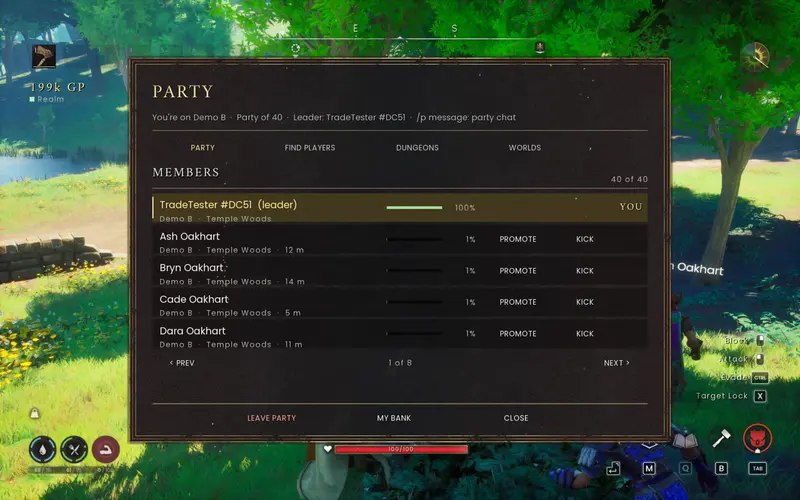
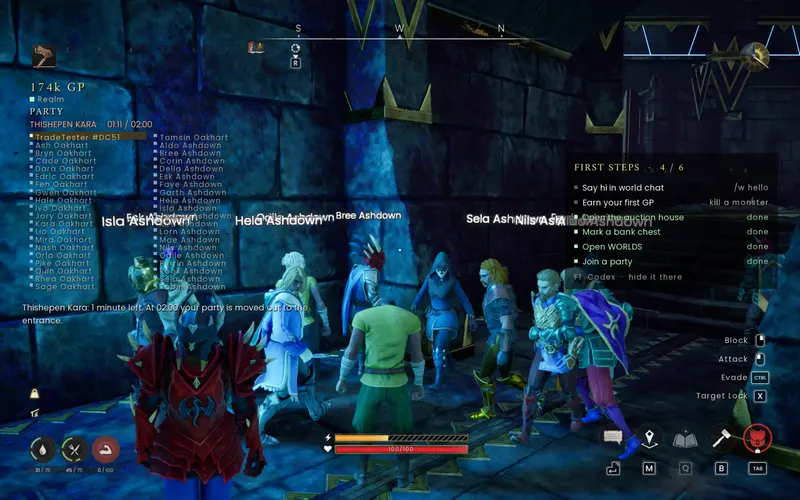
- **Party (F6, `/party`, `/inv`, `/p`):** parties of up to 40 across servers, party chat, a party HUD, invites by name.
- **Dungeons:** the first party inside holds that copy; it resets once empty; timed runs; loot once per 24 hours per
character and dungeon on every server.
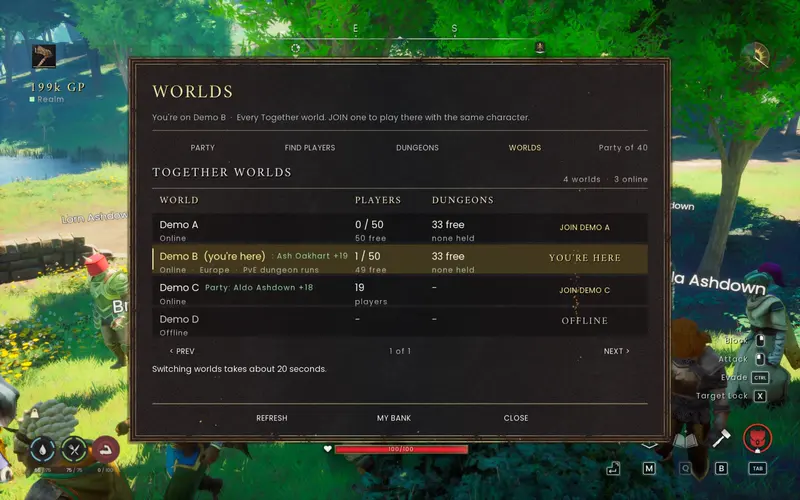
- **Worlds (F6 > WORLDS, `/worlds`):** every Together server with its players, capacity and free dungeons; JOIN one
with the same character (about 20 seconds); the leader can take the whole party, and your base can come along.
- **Portable bases (F10, `/base`):** a Build Protection Totem's area is a template: pack it up, rebuild it on any
server, duplicate it (empty chests) or set it for a region. A live fit check while placing a totem (red preview
with the reason, area ring and footprint on the ground).
- **Totem area upgrades (F8, UPGRADE AREA):** bigger protected areas for GP and vault cores.
- **Realm characters:** the realm keeps each character's record and checks it at every join, so items from solo
worlds, other servers or edited saves stay out; a character that differs is restored to its record.
- **The Codex (F1, `/help`):** every feature with its keys, commands and limits; a first-join welcome tour, a
first-steps checklist and the realm light (green online, amber reconnecting, red offline: your world keeps playing).
- **Privacy:** a privacy page in the welcome tour and a PRIVACY & SAFETY tab in the Codex say what the realm stores
(no IP addresses; positions and chat are never saved), for how long, and how to ask for deletion. `/hide` and
`/anon`. Full text: PRIVACY.md.
- **No new Lodestones** on Together servers (the official worlds come with theirs).
### Official Worlds
- The official Worlds run on our own servers (tested game build 25808123); the server package is internal and not
distributed.
### Fixes since 1.6.0 (selection)
- Key binds run on UE4SS's own thread and only stamp a flag (fixes a crash closing the bank window).
- Every loop pauses while a world is being swapped and for 4 s after it loads (crash at join/hop).
- Trades: the received stack goes to a slot the game accepts, nearest the item's own slot; no trade request to yourself.
- Crates count as chests (owner, access list, bank).
- Many UI fixes (first click lost, clipped rows, wrapped text, the GP counter and realm light no longer touch).
### Requirements
- RuneScape: Dragonwilds 1.0 (Windows, Steam), UE4SS 3.0.1 (bundled; the installer adds it only if missing).
- Everyone needs the mod, including the player who hosts the world. The Together features need an official World.
BetterSpellWheel release history