A mod for RuneScape: Dragonwilds

BetterSpellWheel

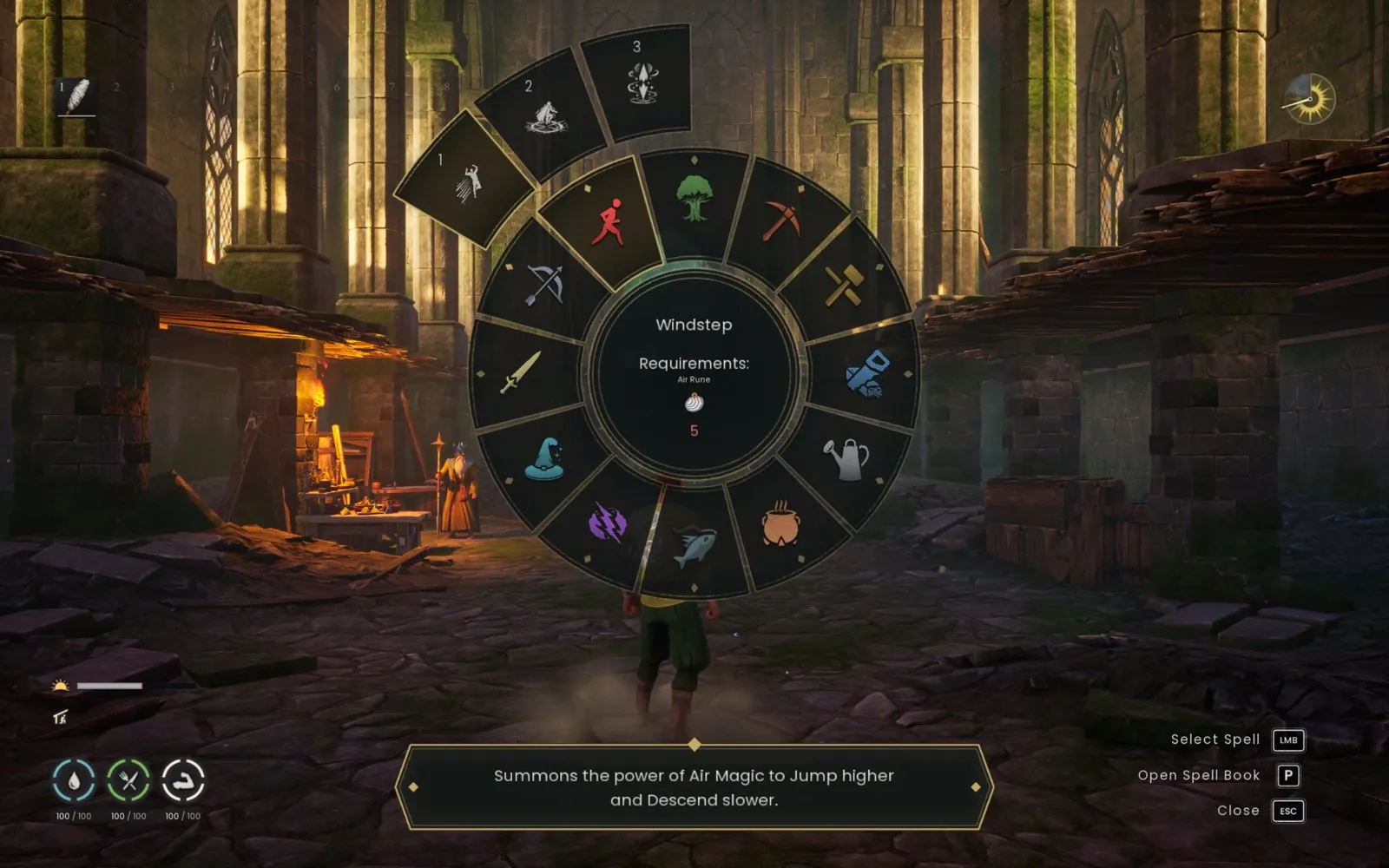
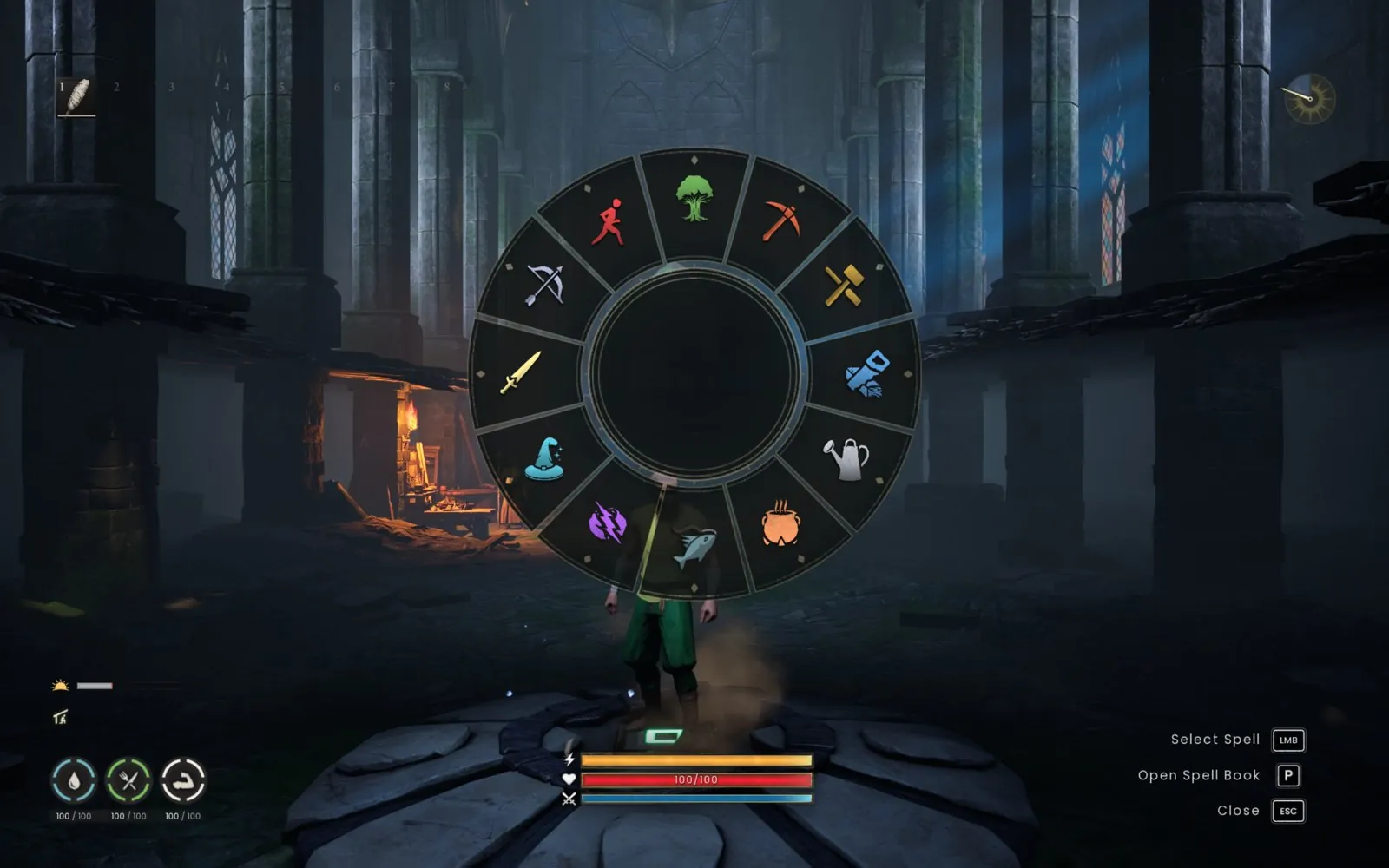
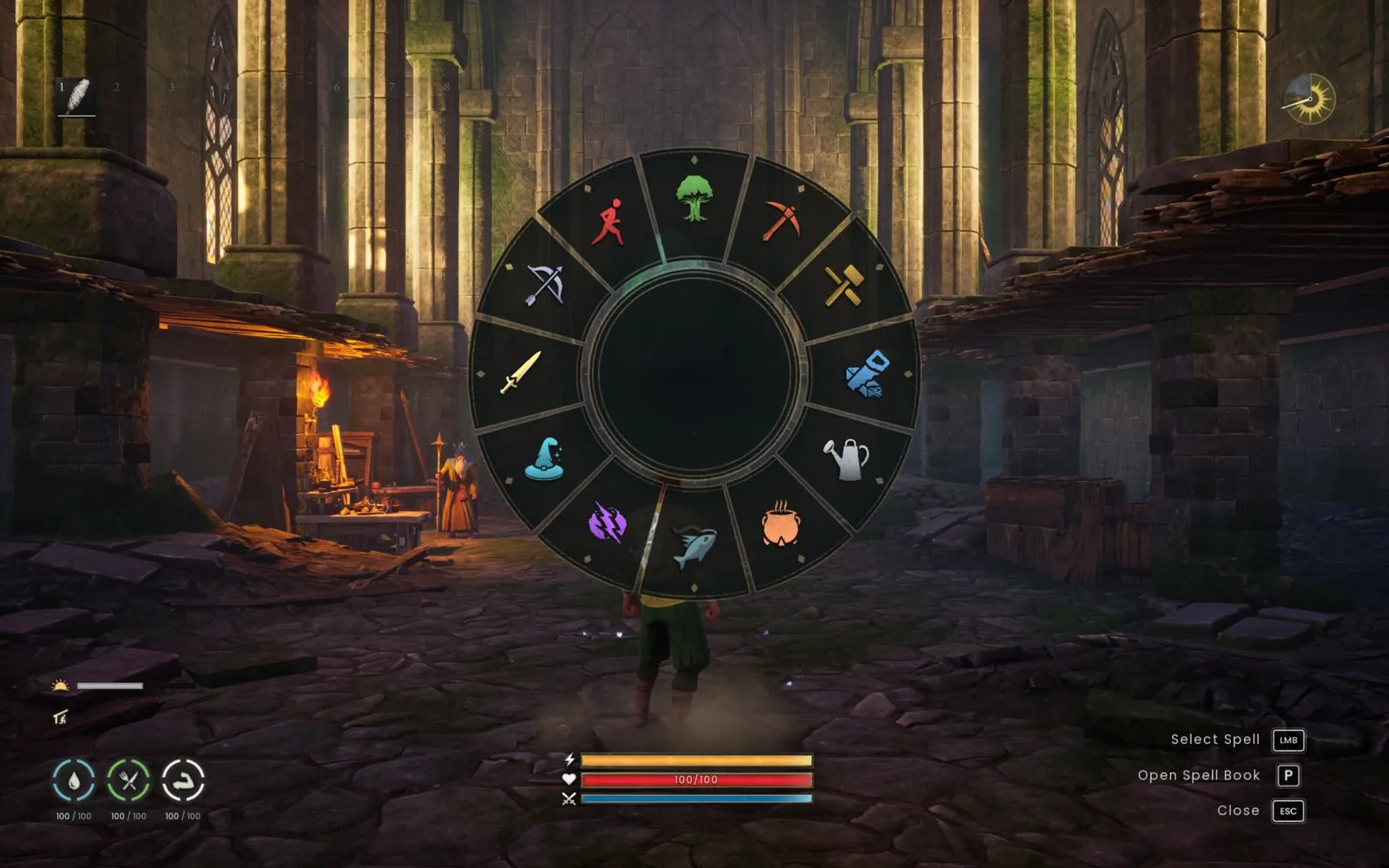
A responsive, skill-based spell wheel. Hover a skill, move outward to choose a spell, and see its rune costs and cooldown right in the middle of the wheel.

Free · v0.4.7 · Windows · Client only, no server component · Apache-2.0

Showcase

What's new in 0.4.0

1:33 · no sound · recorded in game. The on-screen captions are written out below. Full tour: every spell in the wheel (2:25, MP4)
What the video shows
  • Before: no text in the wheel. Now: the spell's name, costs and a description.
  • Spell name and rune costs, right in the centre. Its description sits in the tooltip bar below.
  • Rune counts in colour: green, you have enough; red, you don't.
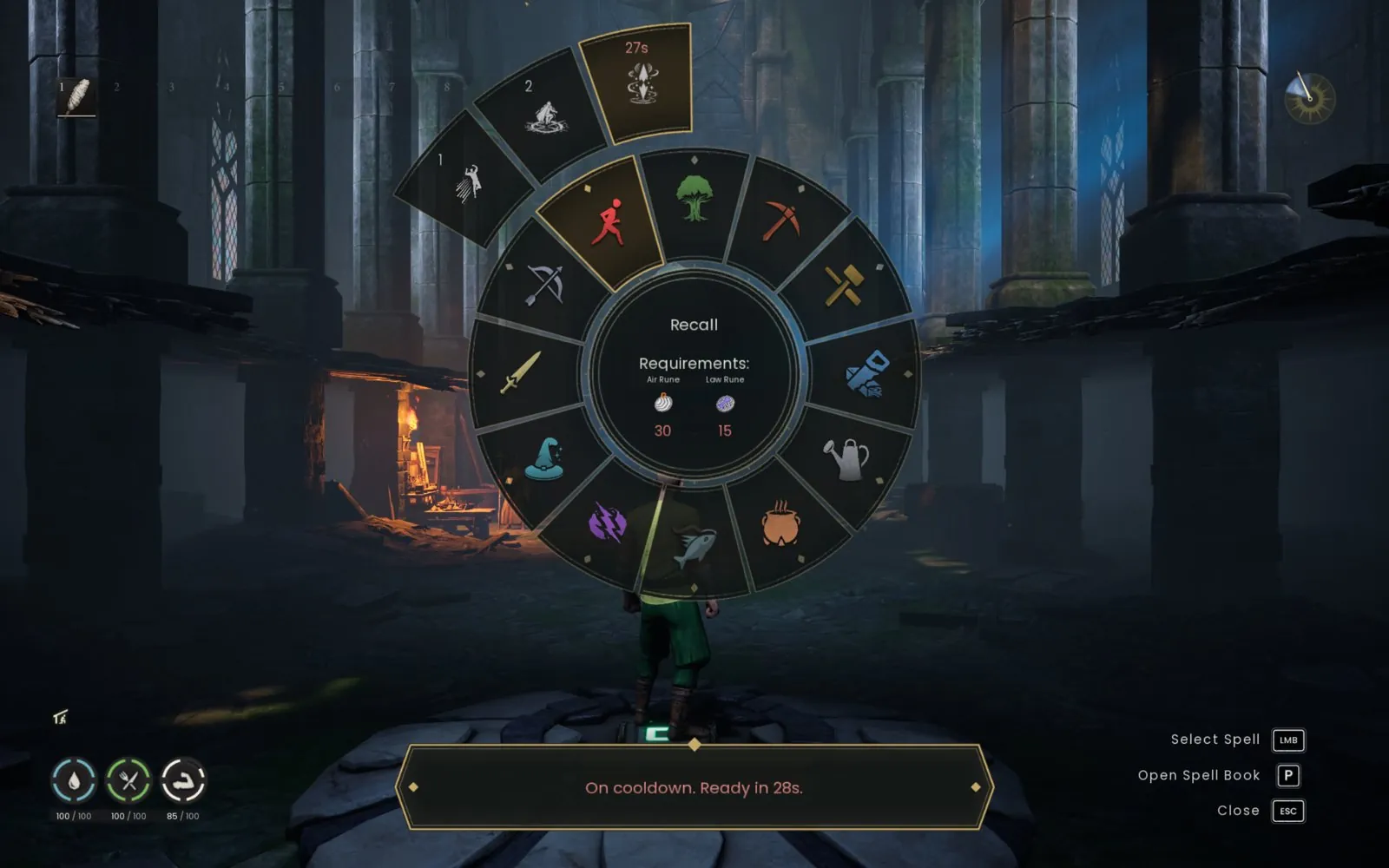
  • Cooldowns count down live on the slices. They're read from the game's own cast times, so they're right even after a reload.
  • Timers use your perk-shortened cooldowns (Fish Cyclone: 300 s to 200 s).
  • The game decides whether a spell can be cast. When it refuses one that's on cooldown, the wheel says when it's ready.
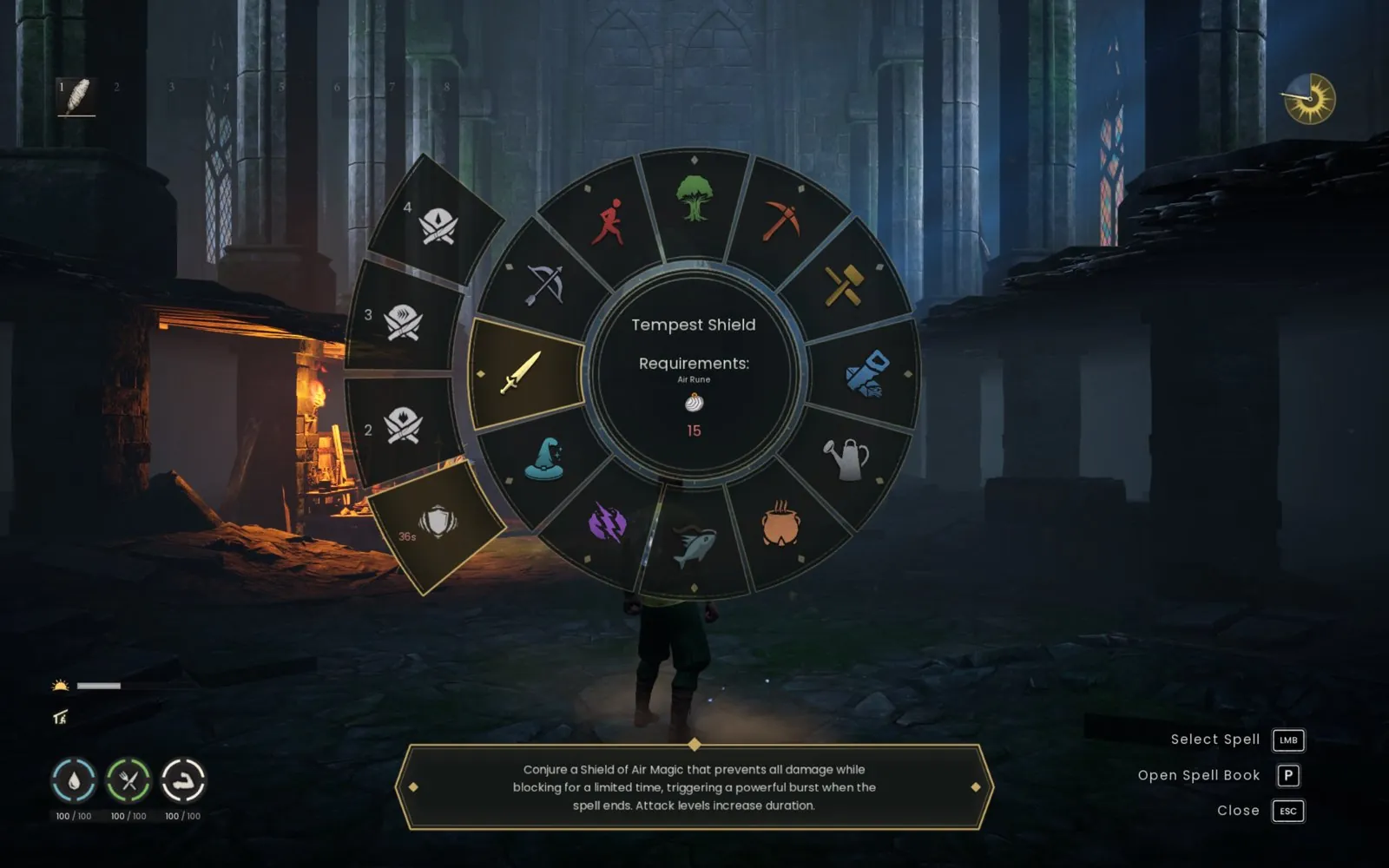
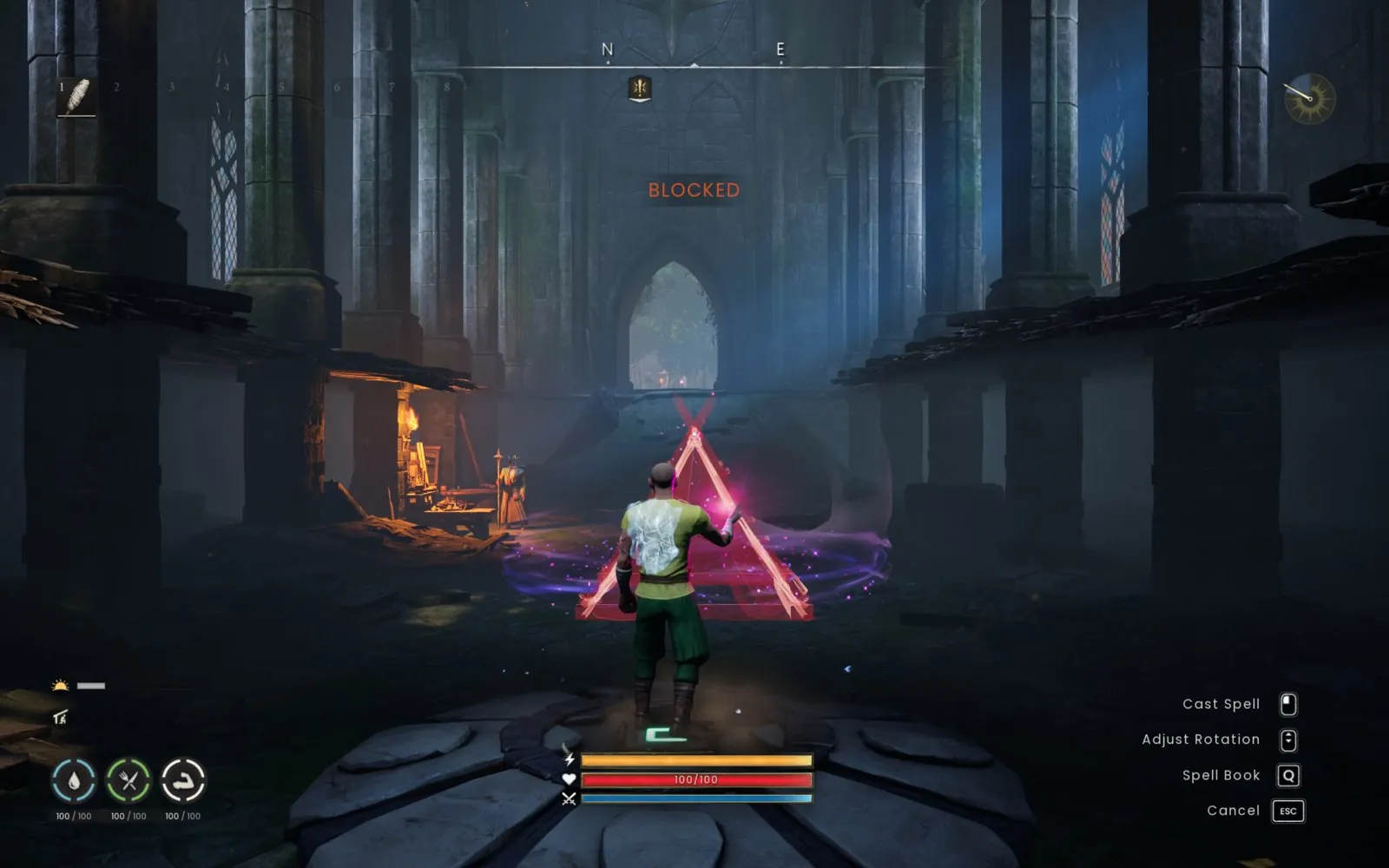
  • Casting stays native: aimed spells use the game's own targeting (confirm or cancel), placement previews too (Summon Shelter is blocked inside the temple), and instant spells like Tempest Shield cast straight away.
  • Keep walking while you choose: the wheel stays open.

Features

Your skills. Your magic.

Also: controller support (right stick or D-pad, with Xbox or PlayStation button hints). See Controls.

Screenshots

In game

Download and install

Get BetterSpellWheel

v0.4.7 · Windows · keyboard and mouse (controller: beta). Install it on the PC where you want the new wheel: there is no server component.

Install with the RSence Installer

Have Together's installer already? Open the RSence Installer from Start and press INSTALL next to BetterSpellWheel. It downloads and checks the mod, keeps your settings, and updates or turns it off with one click.

Get the RSence Installer

Also installs Together; you choose what to install. Unsigned: SmartScreen may warn.

Easy installer

Close the game and run setup. It finds your Steam installation and installs UE4SS if needed. Setup keeps your other mods and settings; run it again to update or uninstall.

Download the installer (.exe, 20.1 MB)

The installer is unsigned.

Manual install

Follow the included INSTALL.txt. Requires Dragonwilds-compatible UE4SS already installed.

Download the ZIP (55 KB)

SHA-256 checksums · All releases on GitHub · Always the latest: installer, ZIP

Available soon on CurseForge and Nexus Mods
Coming from SpellBranches?

Close the game and remove its old mod folder and SpellBranches : 1 entry from mods.txt before installing BetterSpellWheel. Keep only one wheel enabled.

Turning it off

Set Enabled=false in config.txt and restart the game, or run setup again to uninstall.

Controls

How to use it

Keyboard and mouse controls
InputAction
Q / your normal spell-wheel bindingOpen the wheel
Q / EscClose without selecting
Hover an inner skill iconReveal that skill's spells
Move outward + left-clickSelect a spell, then use the game's normal casting controls
Return to the inner ringChange skills
Right-clickGo back to skill selection
WASDKeep walking while the wheel is open
With a controller (beta)
Controller controls
InputAction
Y / Triangle (or your normal binding)Open or close
Right stickPoint at a skill; after choosing it, point straight at a spell
Left stickKeep walking
D-padBrowse skills or spells, with hold-to-repeat
A / CrossChoose the skill, then select its highlighted spell
B / CircleBack to skills; press again to close
X / SquareSwitch to the game's emote wheel
LB / RB or L1 / R1Change pages when a skill has more than six spells

Once a spell is selected, use the game's normal targeting controls (RT / R2 to confirm, LT / L2 to cancel). Moving the mouse switches back to mouse navigation. ControllerPrompts=PlayStation in config.txt shows PlayStation hints when using Steam Input.

0.4.0's new controller behaviour (right stick, emote hand-off) hasn't been tested on a gamepad yet.

Locked spells stay visible with their required level. Hovering alone never casts.

Release notes

Changelog

0.4.7 Frame rate fix for older UE4SS builds

  • Fixes the frame-rate drop with the wheel closed on UE4SS builds from before late August 2026. Older versions looked up the player every frame, which those builds make slow (about 12 ms each).
  • Measured on an AMD Ryzen 9 9950X3D with an affected UE4SS build: 59–61 fps with 0.4.6, 154 fps with 0.4.7, matching current UE4SS. Thanks to dhenriques for the report and testing. Read the measurements and limits.
  • Opening, hovering and casting no longer look objects up either. Leaving and rejoining a World, and respawning, are still handled at once. Settings are unchanged.

0.4.6 Smaller artwork and cached spell data

  • The same wheel artwork uses 1.45 MB of decoded texture data instead of 15.58 MB.
  • Spell catalogues are cached per World, rune-count feedback appears on hover, and the cursor centres before opening. Thanks to dhenriques for the community contributions.
  • Less input polling after casting, with controller and native-panel lifetime safeguards retained. Existing settings stay compatible.
  • Live performance results were mixed: open-idle frame pacing improved, but navigation and opening-event frames did not improve overall. Read the measurements and coverage limits.

0.4.5 Join crash fix

  • Waits until the World has finished loading (5 seconds after your character appears) before it connects to the game's spell wheel, and only uses live game objects.
  • Part of the fix for a game crash a moment after joining a server; Together 2.4.0 fixes the main cause on its Worlds.

0.4.4 Responsive wheel navigation

  • Icons stay loaded while navigating, eliminating repeated loading stalls when switching skills quickly.
  • Selection and highlights respond in the current game frame, without dwell delays or fades. Boundary hysteresis still prevents edge flicker.
  • Less work fitting tooltips and counting runes; background updates remain throttled.
  • Measured on SudoBlade: worst wheel draw fell from 77 ms to 3 ms. Frame pacing matched the native wheel in the tested scene.

0.4.3 Much lighter in the background

  • Much lower background cost: no more searching the game's objects every frame. With the wheel closed it uses about 2-3 ms of game time per second instead of about 35, and about half as much while it's open.
  • Cooldown timers keep updating from the game after a cast while the wheel is closed, so the right time shows as soon as you open it.
  • Instant spells (such as Tempest Shield and Windstep) start their timer when the cast animation ends; a cancelled cast starts none.
  • New troubleshooting setting PerfLog in config.txt (off by default) logs the mod's cost to UE4SS.log.

0.4.2 Cooldowns follow the game

  • Fixed: with a mod that removes spell cooldowns (such as Utility Spells - No Cooldowns), the wheel still showed timers and refused those spells, mostly on someone else's server.
  • The wheel never refuses a cast because of its own timer. The game decides, and the wheel says "On cooldown" only when the game refuses the spell.
  • Cooldown lengths are read live from the game; a cooldown of 0 shows nothing.
  • New ShowCooldowns setting in config.txt: set it to false to hide the timers.
  • Cooldowns still show and count down as before for everyone else.

0.4.1 CurseForge-ready packages

  • The ZIP contains only Lua and text files. README, LICENSE and NOTICE are included as .txt files.
  • The mod draws its wheel art on first launch, so no separate image files are needed.
  • No gameplay changes since 0.4.0.

0.4.0 Centred radial, cooldowns, move while choosing

Brings in the improvements from the community fork (jackisace/rsdw-betterspellwheel, PR #1 and its later 1.x builds), reviewed and adapted:

  • The wheel is centred on screen with no background or side list. The hovered spell's name, tool requirement and rune costs appear in the middle of the wheel; each rune count is green when you carry enough and red when you don't. Its description appears in a tooltip bar under the wheel.
  • Live cooldown timers on the outer ring. They come from the game itself: the last cast time of every spell (so cooldowns started before loading in or outside the wheel show correctly), the server's "on cooldown" notices, and the perk-adjusted duration (a spell's cooldown modifier perk, once unlocked). A spell still on cooldown can't be selected; the wheel says when it's ready.
  • Keep walking while the wheel is open (WASD / left stick). Only the wheel's own buttons and the right stick are captured; the camera doesn't turn while the right stick drives the wheel.
  • Controller: the right stick picks skills and, after choosing one, points straight at a spell (wider slices than the mouse). X / Square hands over to the game's emote wheel.
  • Mouse: smoother pointing (light angular smoothing, wider rings with no gap, and hysteresis so slices don't flicker at their edges).
  • The native wheel no longer flashes for a frame when the custom wheel opens or closes (KeepNativeHidden, on by default). The game's select sound is muted for the cast.
  • The click or button that casts must be released for a moment before gameplay sees input again, so it can't also swing a tool or confirm targeting.
  • If the game ignores the slot hand-off, the selected spell is written directly and re-checked, so the first cast after launch fires the spell you chose.
  • A refused selection (on cooldown, missing runes or a tool) says why, in red, in the tooltip bar.
  • Fixed a crash in the fork's code: it re-hid the game's own wheel every frame and could call into it after the game had rebuilt it. The mod now leaves it alone while closed and checks it still exists before touching it.

Tested in-game with mouse and keyboard (instant and aimed casts, cancel, cooldowns, rune colours, walking while open). The new controller behaviour (right stick, emote hand-off) has not been tested on a gamepad yet.

0.3.0 Controller navigation

  • Open using the native controller binding and browse skills with either stick or D-pad.
  • Confirm to enter a skill, browse its spells, then confirm to cast through native targeting.
  • Back returns to skills; a second press closes. Held buttons cannot skip both stages.
  • Deadzone, directional hysteresis, repeat timing, neutral-stick gate and mouse handoff.
  • Xbox / PlayStation hints, with a config override for Steam Input.
  • Temporary input capture blocks gameplay and native UI bindings during browsing; teardown removes only this mod's mapping and actor.

0.2.2

A separate Windows setup EXE now installs the mod and includes UE4SS for fresh installs. The ZIP includes INSTALL.txt with manual installation instructions. The wheel and casting behavior are unchanged.

0.2.1

The mod is now BetterSpellWheel (formerly SpellBranches), with its own source repository: Proxify/rsdw-betterspellwheel. The install folder, in-game title and release archive use the new name. The skill mapping and casting behavior are unchanged from 0.2.0.

0.2.0

Windstep is now under Agility, alongside Phase Dash and Recall. Jagex moved it in update 0.12.1; its asset filename retained the old skill. This release reads the native progression lists for all skills instead of inferring ownership from filenames. All 39 current assignments were checked against that progression data.

The wheel now uses larger icons and compact slot numbers. A matching spell list keeps full names and required levels in a fixed panel, with separate space for the selected spell's description, cost, cooldown and feedback. Text is fitted using the game's rendered font metrics. No full spell name crosses a wheel slice.
Credits and license

Credits

Includes community improvements by jackisace

Version 0.4.0 brings in improvements first made in a community fork by jackisace (centred layout, rune counts, cooldown timers, movement while open, right-stick navigation), reviewed and adapted here.

License: Apache-2.0

BetterSpellWheel is © 2026 Proxify, licensed under the Apache License 2.0. You may use, modify and share it, but any redistribution or derivative work (forks, ports, modified builds, mods that include its code or artwork) must keep the NOTICE file and credit the original: "Based on BetterSpellWheel by Proxify — https://github.com/Proxify/rsdw-betterspellwheel".

Source code on GitHub